
YearCam: AI Video Generator
Fillog StudioArt & Design
4.2442.00 Reviews
- Version
- 1.7.1
- Installs
- 5.00M
- Age Rating
- Everyone
Screenshots
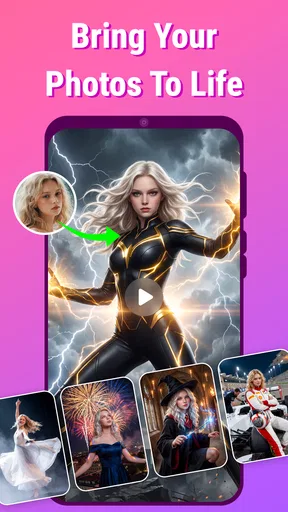
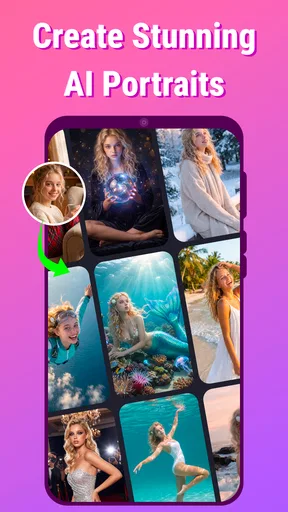
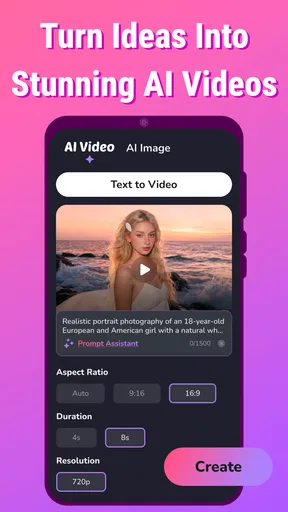
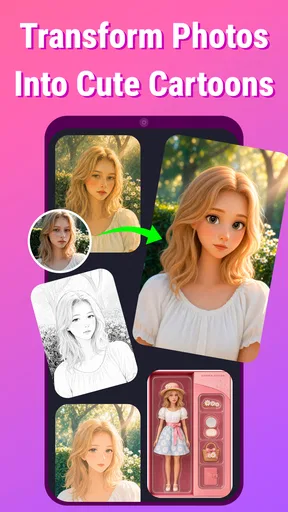
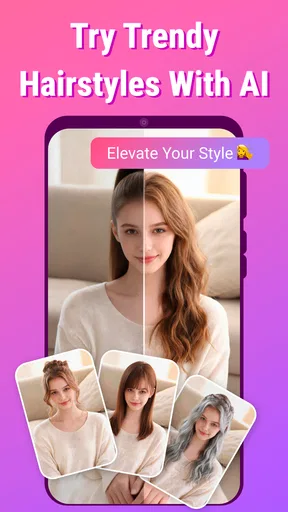
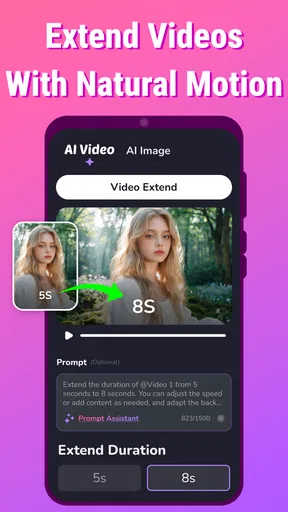
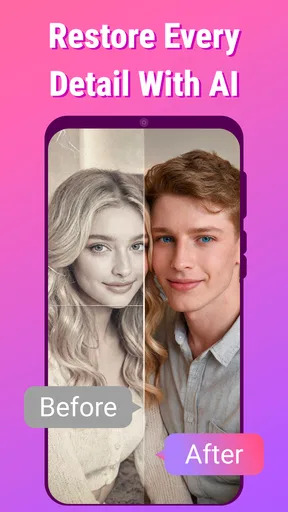
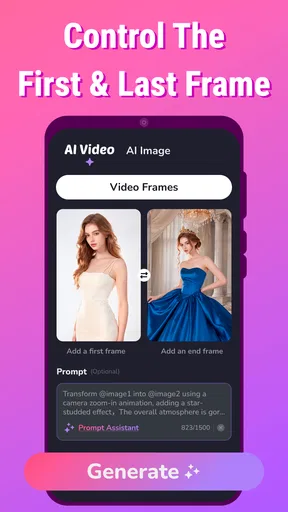
Our Review of YearCam: AI Video Generator
 Analysis by Appyee
I tend to reach for a phone video maker when I have a handful of pictures and a clear reason to share them, but no time to build a project from scratch. YearCam: AI Video Generator is aimed at that quick, image-led kind of creation: it can turn a prompt or selected images into a video, with AI doing much of the assembly. That makes it appealing for casual posts and personal keepsakes, though I would treat it as a shortcut to a first draft rather than a replacement for a careful editor.
When the network becomes part of the workflow
AI generation is a different experience from trimming a clip or adding a title with a basic phone editor. Requests that rely on generative processing can involve waiting and a connection, so I would start a project when I have reliable internet rather than assume every step will be instant. A weak signal is especially inconvenient when I am trying to make something just before a post or event; the sensible move is to allow time for generation and review.
That affects how I would plan a finished video. I would choose the photos and settle on the basic idea before starting, instead of repeatedly changing direction while a generation is underway. A short, specific prompt is also easier to judge than a vague one: describe the subject and the mood you want, then inspect the result before building more around it. AI can help turn an idea into moving imagery, but it does not know which details matter most to you.
For a small business post, a club announcement, or a family montage, the convenience is real: a generated visual can give a static collection more motion and help it feel ready to share. For work where every shot must match a precise brief, however, I would still favor a conventional editor or a desktop tool with more direct control. The less predictable the creative target, the more useful it is to keep a human-led workflow in charge.
Making it fit real phone use
I see the best use for this kind of app in short sessions: make a simple concept, review it on the phone, and decide whether it is good enough to share. For example, after a weekend gathering, I might select a few photos, try a warm visual direction, and make a brief recap while the details are still fresh. That is a more realistic expectation than treating a phone app as a full production suite for a long, carefully edited film.
A practical tip is to sort the source images before opening the creation flow. Put the strongest image first, remove near-duplicates, and keep the selection focused on one moment or subject. This gives the generator a clearer set of ingredients and makes it easier for me to spot whether the result actually reflects the occasion. If the first version misses the point, changing the selection or tightening the prompt is more useful than piling on unrelated effects.
Phone use also means thinking about the viewing destination early. A video intended for a vertical social post has different framing needs from one meant for a landscape screen or a family chat. I would check the crop and important details before sharing, particularly if faces, signs, or text sit close to the edges. A visually lively result is not automatically a well-framed one.
What to do when generation disappoints
AI results can be uneven, and that is the main trade-off I would keep in mind. If a generated movement looks odd or the visual mood drifts away from the prompt, I would not assume that adding more instructions will fix everything. A simpler idea, fewer competing subjects, or a different source image may be a better next attempt. Keeping the first try modest also makes it easier to judge whether the app suits the task.
I would review the output before sharing rather than treating the finished animation as ready by default. Look for distorted details, awkward transitions, or a composition that hides the subject. If a result is close but not right, I would decide whether a fresh generation is worth the time or whether a basic editor can make the needed correction more predictably. That choice is especially important for invitations, business announcements, or anything where accuracy matters more than novelty.
YearCam is a better fit for experimentation than for guaranteed, repeatable results. If you need exact timing, frame-by-frame trimming, detailed audio mixing, or a consistent visual identity across many deliverables, a dedicated video editor is likely the more dependable choice. I would use this app to explore an idea or create a quick visual, then move to a more controlled tool when the project requires precision.
Keeping generation purposeful and data-conscious
Because AI creation can take more than a simple local edit, I would be deliberate about what I select and when I work. Choose only the images needed for the video, avoid starting several speculative versions at once, and wait until you have a stable connection if the task involves generation. That keeps the process focused and avoids spending time on drafts you already know you will not use.
I also would not treat private or sensitive images as casual test material. Before using personal photos, consider whether you are comfortable putting them into an AI-driven creation flow, and check the app’s current privacy information and permissions yourself. That is good practice with any generative media app; it is not a claim about how this particular service stores or processes content.
YearCam is free to install, with in-app purchases listed from $2.99 to $199.99 per item, so I would try the available experience before paying for anything. Think about how often you will make videos and whether the paid options solve a real need, rather than buying on the assumption that every extra will improve the result. The app is rated for Everyone, but the simplicity of an interface does not remove the need for an adult to guide a child’s use of AI-generated media.
Unleashing Creativity with AI
First things first, let’s talk about the AI magic behind YearCam. The app uses artificial intelligence to help users create stunning videos with minimal effort. I know what you’re thinking: "AI? Sounds complicated!" But trust me, it’s as simple as pie. The app’s interface is user-friendly, making it easy for anyone to navigate.
Features That Stand Out
One of the coolest features is its ability to automatically generate video content from your photos and clips. You simply upload your media, and the app does the rest, generating a polished video in no time. It’s like having your own personal editor who never takes a coffee break!
Another standout feature is the variety of themes and templates. Whether you’re crafting a heartfelt birthday montage or a slick promotional video, there’s a template for every occasion. The AI even suggests music tracks that perfectly complement your video’s vibe. Talk about a game-changer!
That said, the most useful way to approach those creative options is to make a small test project first. If I were preparing a birthday montage, I would choose a few images with a consistent look, try one theme, and watch the result before adding more material. That quick check helps reveal whether the style suits the people and occasion; a dramatic template may be fun, but it can overwhelm a quiet family memory. For a promotional post, I would be more selective still, checking that the subject remains clear and that the mood does not distract from the message.
Smooth User Experience
Let’s talk about the user experience. Navigating through YearCam is a breeze. The layout is intuitive, and everything you need is just a tap away. I love how the app doesn’t bombard you with unnecessary options, keeping things neat and straightforward.
And if you’re worried about tech hiccups, don’t be. The app runs smoothly even on older devices, so you don’t need the latest model to enjoy its features. Plus, the developers are constantly rolling out updates to fix any bugs and improve performance. They’ve got your back!
Fillog Studio is the developer behind this art-and-design app, which suits people who want to make visual content without first learning a complicated editing timeline. The current version is 1.6.6, and it runs on Android 7.0 or later. Those details matter if you are considering installing it on an older handset: check your Android version first, then leave enough room to select and review your media comfortably. Its reach—over 5 million installs and an average rating of 4.3 from around 17,000 ratings—suggests that many users find the approach approachable, though popularity alone cannot tell you whether its AI style matches your taste.
Compared with a standard template-based slideshow maker, the generative angle gives you another way to animate still images or begin from a written idea. Compared with a full editing suite, it trades fine control for a faster, simpler route to a draft. I would choose between them based on the job: use YearCam when the goal is to explore a visual quickly, and use a traditional editor when exact clip order, timing, captions, or sound levels are central to the result. That distinction helps avoid expecting one phone app to be both an instant generator and a precise post-production tool.
Perfect for Social Media Enthusiasts
If you’re big on social media, you’re going to love how YearCam integrates with various platforms. Once your masterpiece is ready, sharing it on Instagram, Facebook, or TikTok is just a click away. The app optimizes your video for each platform, ensuring your content looks its best no matter where it’s viewed.
And for those of you who love a good filter, YearCam doesn’t disappoint. The app offers a plethora of filters and effects to give your videos that extra pop. From vintage vibes to modern aesthetics, the options are endless.
For me, the sensible social workflow is to treat sharing as the last step, not the test of whether a video is finished. Watch the whole piece on the phone, check the opening moment, and make sure the subject is recognizable before sending it out. A quick preview in the intended orientation can catch a crop that hides a face or a detail that looked fine in the editor. If the result is meant for a group chat rather than a public feed, a restrained effect can feel more personal than stacking several filters.
It is also worth separating convenience from control. A sharing shortcut can save a few taps, but it does not guarantee that every platform will display a video exactly as expected after upload. If a particular post needs careful captions, branded graphics, or a precise aspect ratio, I would prepare those elements in a tool designed for that level of control and then use YearCam only for the AI visual idea. For casual updates, the quicker path is likely enough; for a campaign that needs consistency, I would not rely on automatic formatting alone.
Is It Worth It?
Now, onto the big question: Is it worth downloading? In my opinion, absolutely! Whether you’re a seasoned videographer or just someone who loves capturing memories, YearCam: AI Video Generator is a fantastic tool to have in your arsenal. The blend of AI technology and creative freedom makes video creation not only easy but also incredibly fun.
While it’s free to download, there are in-app purchases if you want to unlock additional features. But even the free version offers plenty of functionality to keep you entertained.
My recommendation is strongest for someone who enjoys testing visual ideas, making short personal clips, or turning a small set of photos into something more animated without a steep learning curve. I would be more cautious if you need a dependable production workflow, have a strict deadline, or want to control every edit. The app’s appeal is the chance to get from an idea to a visual draft with little setup; the trade-off is that generative results may need retries and a separate editing step.
The practical question is whether that trade-off fits your routine. If you regularly share lighthearted updates, seasonal greetings, or informal recaps, a fast creative tool can be worth keeping on your phone. If you only make one carefully polished video a year, a conventional editor may offer better value in time and control. I would not pay for an upgrade until I had made a few real projects and knew exactly which limitation I wanted it to solve.
In a nutshell, if you’re looking to elevate your video creation game, YearCam is definitely worth checking out. It’s like having a creative partner who’s always ready to help you produce amazing content. So go ahead, give it a shot, and let your creativity run wild!
My connectivity verdict
For everyday use, I would think of YearCam as a connected creative tool, particularly when I am asking it to generate material rather than simply arrange an idea. I would not plan an important last-minute post around a generation that has not finished yet. Start while you have time and a dependable connection, review the result, and keep a simpler editing option in mind if the network or the output does not cooperate.
Overall, YearCam makes the most sense when convenience and experimentation matter more than exact control. Its AI-led approach can give a phone-based creator a quick starting point, while the modest, focused workflow makes it approachable for casual projects. Just budget time for connection-dependent steps, check each result with a critical eye, and choose a different editor when precision is non-negotiable.
Verdict
Strengths of YearCam: AI Video Generator
- Easy-to-use interface for quick video creation.
- AI-powered tools enhance video quality effortlessly.
- Includes a wide range of creative templates.
- Fast rendering speeds save time on projects.
- Compatible with both Android and iOS devices.
Limitations of YearCam: AI Video Generator
- Limited free version features compared to paid.
- Occasional glitches with AI effect application.
- Requires a stable internet connection to function.
- Subscription may be pricey for casual users.
- Lacks advanced editing tools for professionals.
Other Releases by Fillog Studio
View All
SeeGen AI: Seedance 2.0 & 2.5
Art & Design4.0
Similar Picks in This Category
View All
Canva: AI Photo & Video Editor
Canva4.8

PENUP – Drawing-sharing SNS
Samsung Electronics Co., Ltd.4.5

Crafto
Kutumb App4.6

Sketchbook
Sketchbook4.1

ibis Paint X
ibis inc.4.5

Adobe Express: AI Photo, Video
Adobe4.6
Frequently Asked Questions
What is YearCam: AI Video Generator?
YearCam: AI Video Generator is an innovative app that utilizes artificial intelligence to transform your photos and videos into stunning, professionally edited creations. It offers a variety of templates and effects to make your media stand out, allowing for easy sharing on social media platforms.
How does the AI feature work in YearCam?
The AI feature in YearCam analyzes your photos and videos to automatically apply enhancements and effects. It identifies key elements such as faces, objects, and scenery to ensure that the enhancements are tailored specifically to your media, providing a polished and professional look without the need for manual editing.
Is YearCam suitable for beginners?
Yes, YearCam is designed with a user-friendly interface that makes it accessible for beginners. The app provides guided tutorials and easy-to-use templates, allowing even those with no prior editing experience to create impressive videos quickly and effortlessly.
Are there any in-app purchases required in YearCam?
YearCam offers a range of free features, but some advanced templates and effects may require in-app purchases. Users can choose to buy these additional features individually or subscribe to a premium plan for unlimited access, depending on their editing needs and preferences.
What platforms is YearCam available on?
YearCam is available for both Android and iOS devices. Users can download the app from the Google Play Store for Android or the Apple App Store for iOS. It is optimized for a variety of devices, ensuring smooth performance and compatibility across different smartphones and tablets.
